Plan Mode
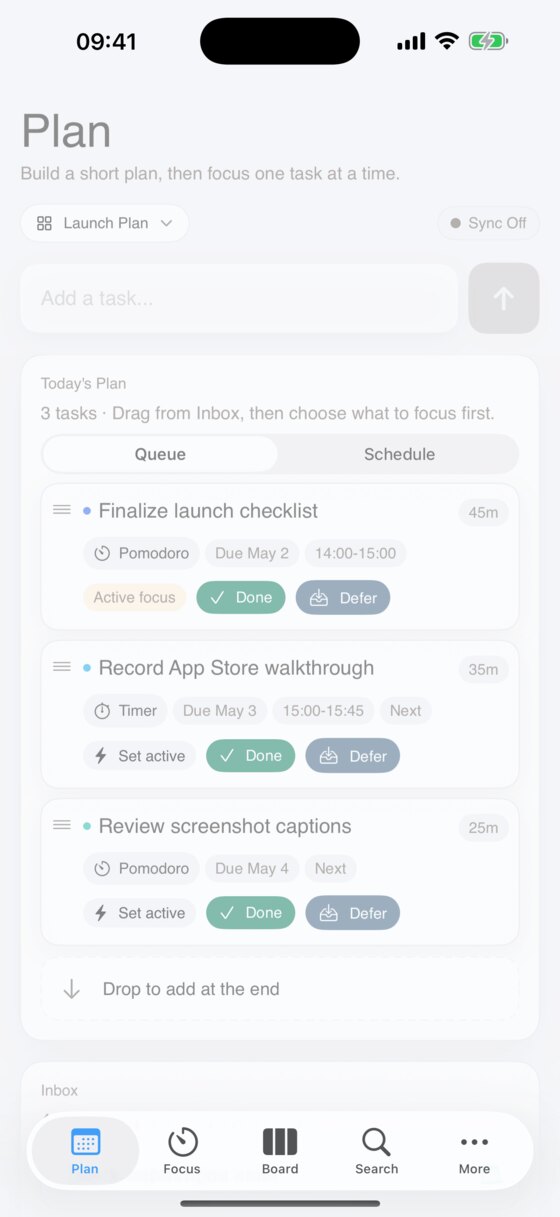
Build a daily agenda with an inbox, prioritized plan queue, and drag-and-drop ordering.
Turn your backlog into a focused plan. Kanban Lens pairs task boards, Pomodoro sessions, and weekly review in a private, local-first workspace.
Move through Plan, Focus, and Review without losing momentum.
Build a daily agenda with an inbox, prioritized plan queue, and drag-and-drop ordering.
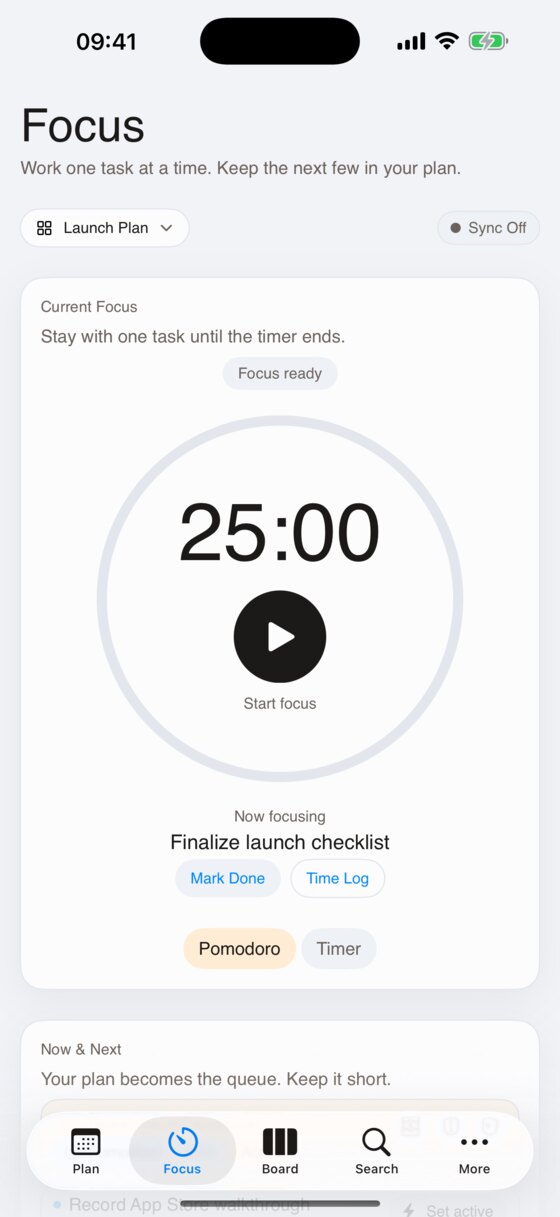
Execute with Pomodoro-style timers, interruption tracking, and a dedicated focus queue.
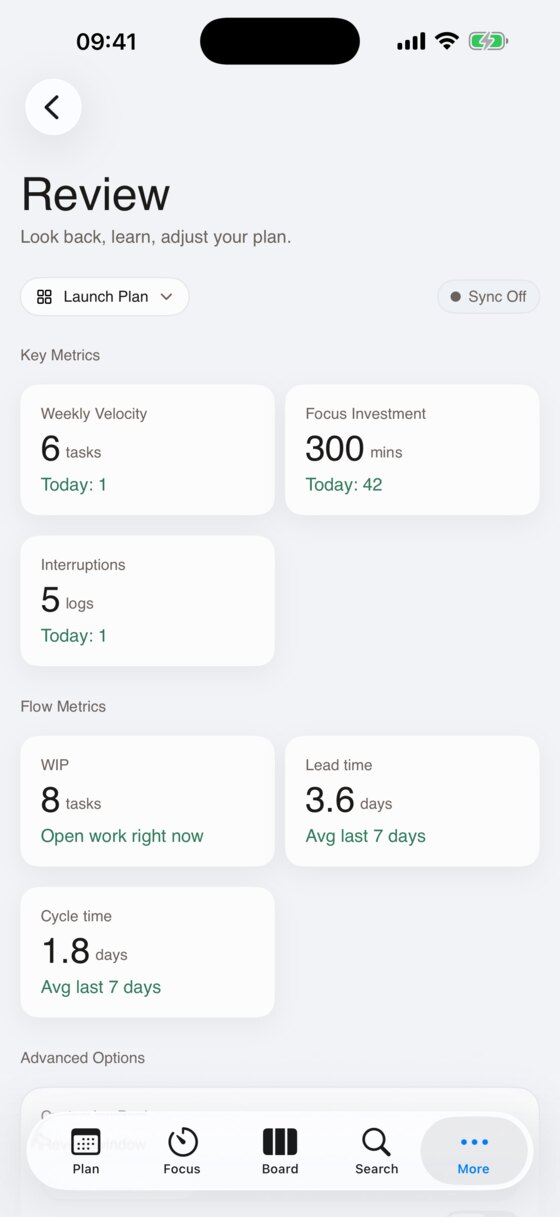
Understand your week with completed work, focus investment, WIP, lead time, and cycle time.
A look at the iPhone experience: plan the day, focus deeply, manage boards, and review progress.
Thoughtful tools that keep your work visible without the noise.
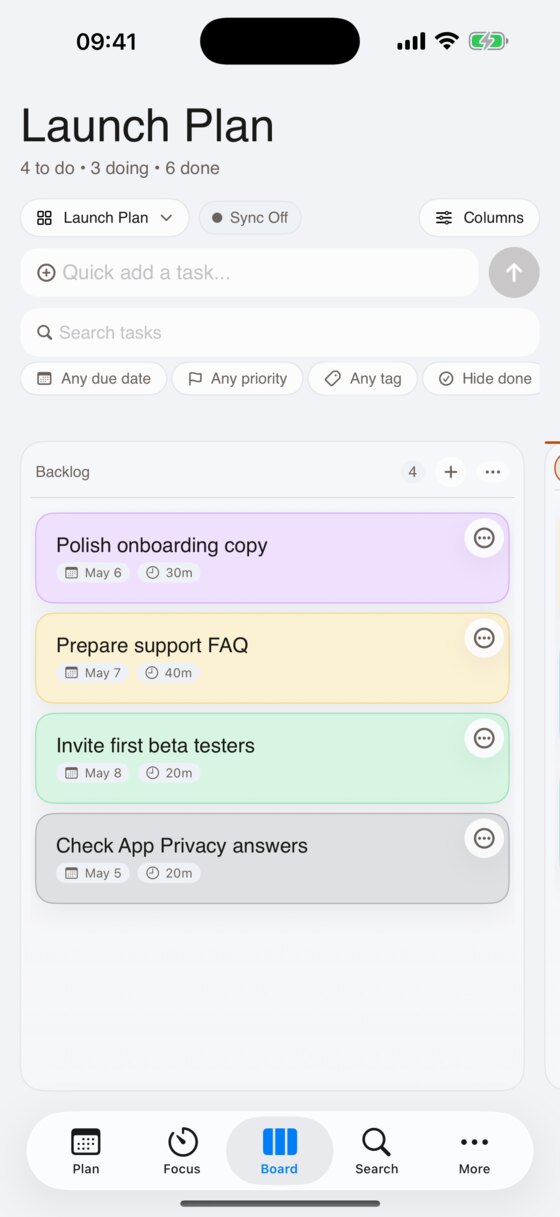
Custom columns, drag-and-drop movement, and optional WIP limits keep work balanced.
Turn inbox tasks into a short, ordered plan before you start the day.
Find anything fast with instant search across titles, descriptions, and task history.
Run Pomodoro or custom sessions, track interruptions, and keep focus tied to a task.
Export your boards and task history in JSON or CSV whenever you choose.
Your tasks stay on device by default, with optional iCloud sync available through Pro.
Turn daily execution into real insight about your capacity and pace.
Track completed work per board and spot patterns in your throughput.
Understand where deep work is spent across tasks and projects.
See WIP, lead time, cycle time, and weekly patterns without turning your task list into a spreadsheet.
Extra capacity and sync for people who want Kanban Lens across more boards, devices, and routines.
Download Kanban Lens on iPhone or iPad and start with one private board, a focused daily plan, and Pomodoro sessions tied to real tasks.
Free to start. Optional Pro unlocks unlimited boards, sync, automations, calendar integration, and deeper review.