1. Secure the router itself
- Install the latest stable firmware supplied by the vendor or ISP.
- Use a unique administrator password that is not the WiFi password.
- Disable remote administration from the internet unless you explicitly require and secure it.
- Use WPA3 where all important devices support it, otherwise WPA2 with AES.
- Disable WPS when convenience does not justify the additional enrollment path.
2. Create a trustworthy inventory
Scan the network and label equipment you recognize. Include devices that are easy to forget: printers, cameras, televisions, speakers, game consoles, bridges, watches, appliances and energy equipment. Compare the list with your router’s connected clients.
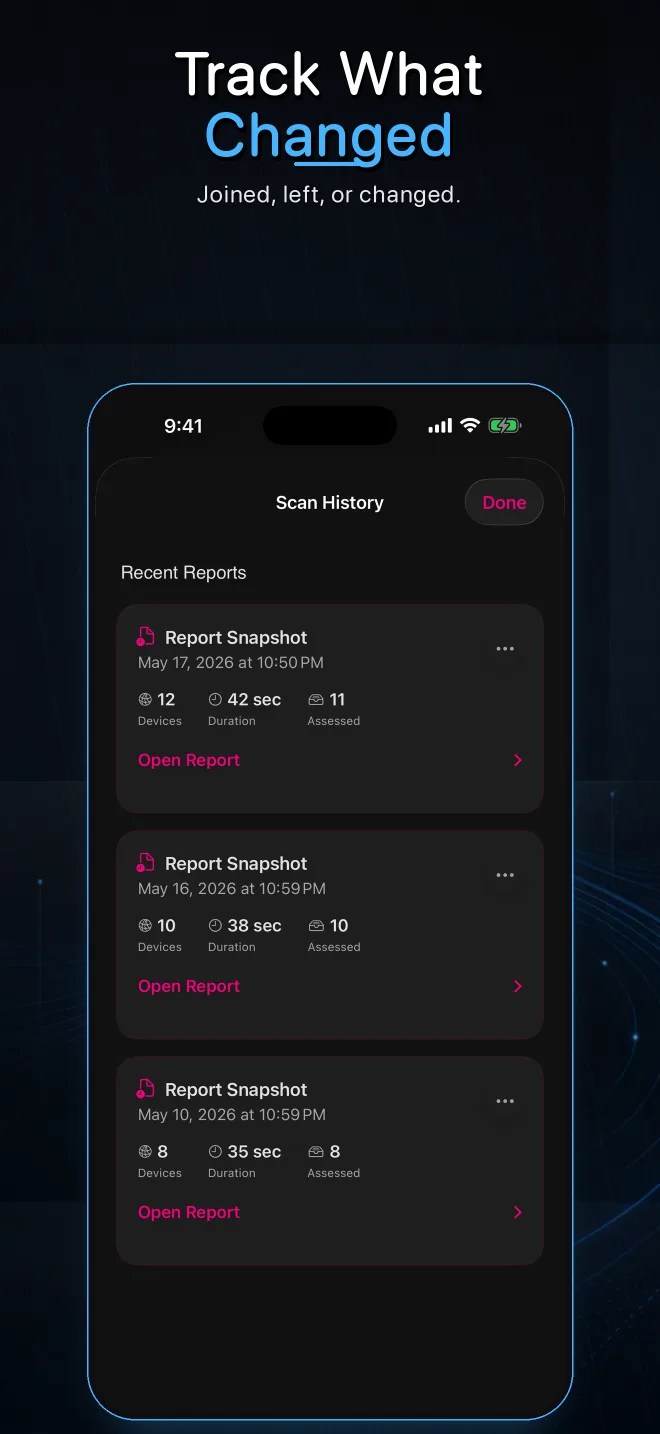
Review changes, not only snapshots
A saved baseline makes a new device or unexpected service easier to notice than a one-time scan of a busy household.
3. Separate devices by trust
Use a guest or IoT network when your router supports meaningful isolation. Put visitors and low-trust smart-home equipment away from computers and storage devices containing sensitive data. Verify that isolation actually prevents cross-network access.
4. Review reachable services
Look for administration pages, file sharing, remote shells, camera streams and legacy plaintext protocols. Confirm that each service is needed, uses authentication and receives updates. Close or disable anything unused through the product’s supported settings.
5. Protect accounts and recovery paths
- Enable multi-factor authentication for router-cloud and smart-home accounts when available.
- Remove former household members and obsolete integrations.
- Store recovery codes securely.
- Review which mobile apps can administer the network.
6. Respond to an unknown client
- Capture its address, name, services and first-seen time.
- Compare with the router and physical devices.
- Pause or block it at the router if it remains unexplained.
- Rotate WiFi credentials when unauthorized access is plausible.
- Reconnect trusted equipment deliberately and watch for the client’s return.
7. Repeat the review
Run a quick scan after adding hardware, changing routers, hosting guests or installing major updates. A monthly review is reasonable for a changing smart home; a stable network may need less frequent attention.
Create a local network baseline
Pynqr helps discover, label, compare and export your network inventory.